Private Swaps
Private Swaps are Ozyon's core privacy feature, designed to sever the on-chain link between your source and destination wallets.
How It Works
When you execute a Private Swap:
- You send tokens from Wallet A
- Ozyon's relay receives and processes the transaction
- Fresh tokens are sent to Wallet B from a different source
- No on-chain link exists between Wallet A and Wallet B
External observers analyzing the blockchain see transactions to and from the relay - not a direct connection between your wallets.
Step-by-Step Guide
Follow this walkthrough to complete your first Private Swap.
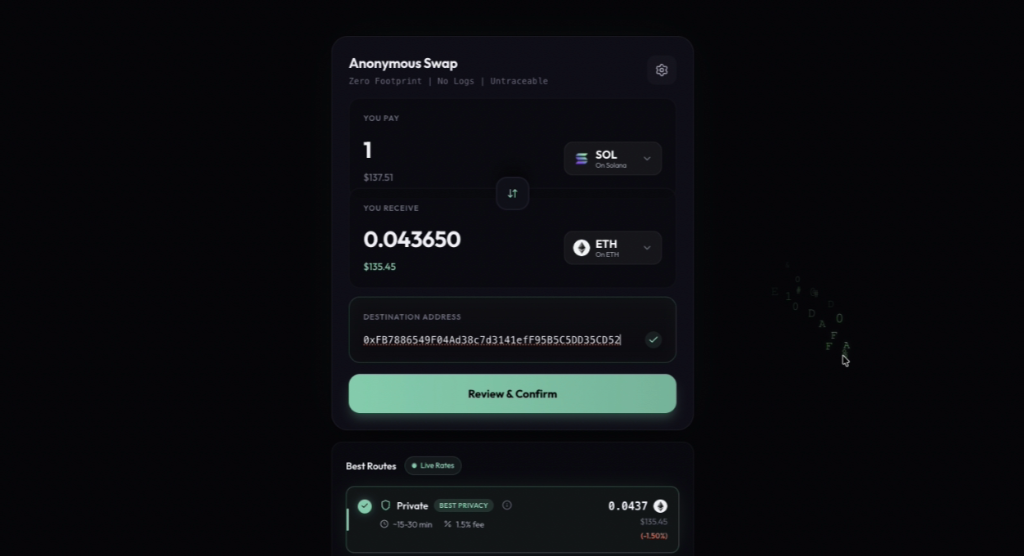
Step 1: Configure Your Swap
Navigate to the swap interface and enter your trade details:
- Select the token you want to send and the amount
- Choose your destination token and network
- Enter the destination wallet address where you want to receive funds
- Under Best Routes, select the Private option marked with "BEST PRIVACY"
- Click Review & Confirm to create your order
Step 2: Deposit Your Funds
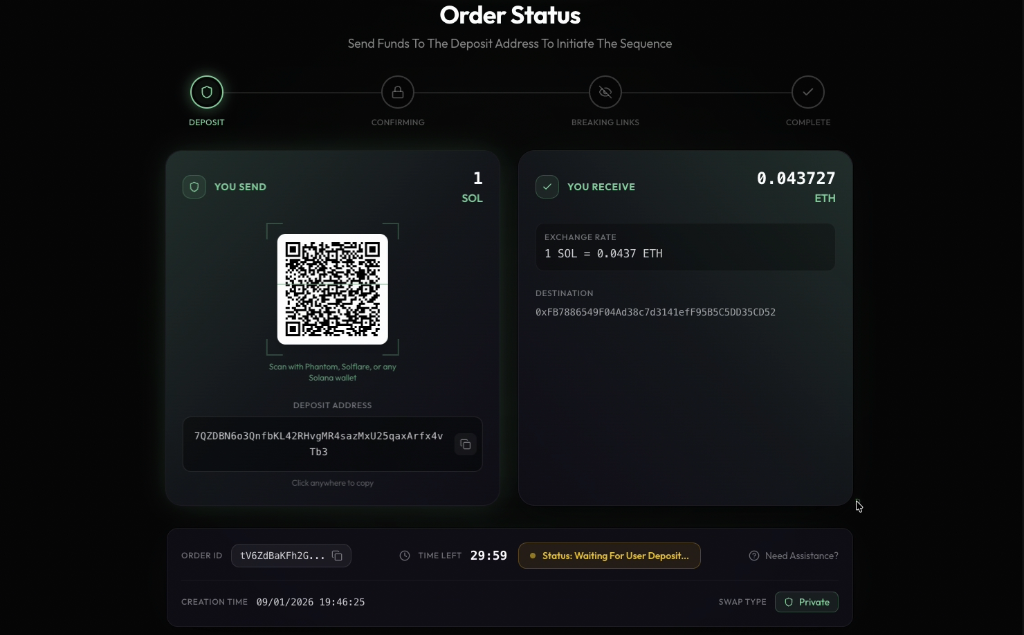
After confirming, you'll see the Order Status page with a unique deposit address:
- A QR code is displayed for easy mobile wallet scanning
- The deposit address is shown below - click to copy
- A countdown timer shows how long you have to complete the deposit (typically 30 minutes)
- Send the exact amount from any wallet to this address
The status will show "Waiting For User Deposit" until your transaction is detected.
Step 3: Blockchain Confirmation
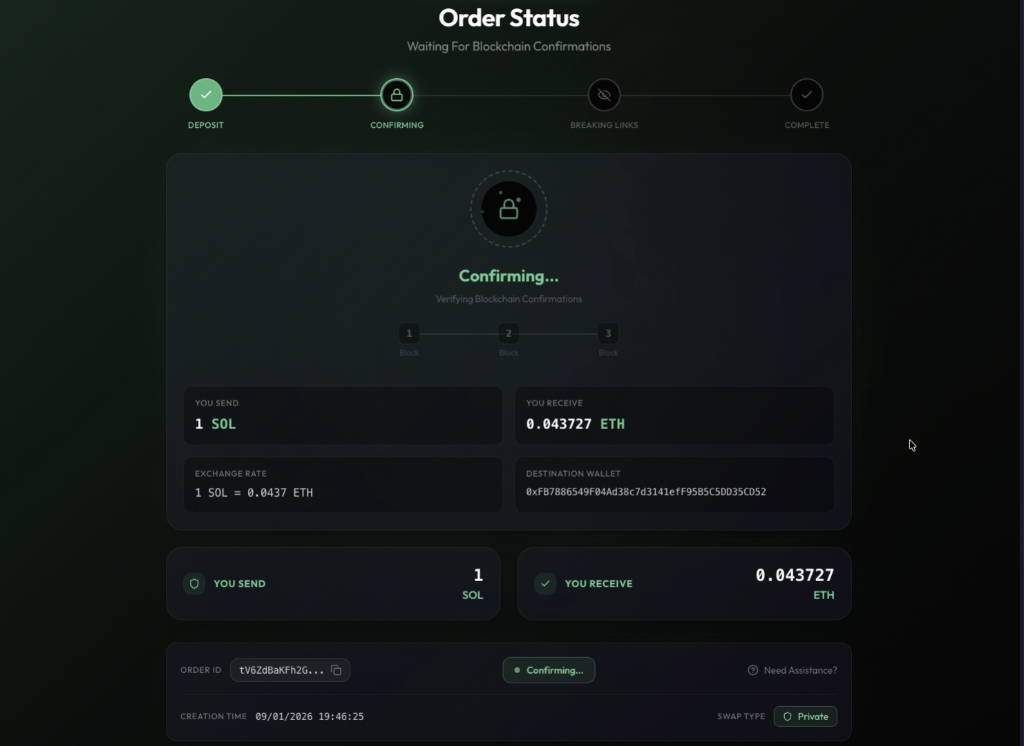
Once your deposit is detected, Ozyon waits for blockchain confirmations:
- The progress indicator shows the confirmation blocks being verified
- Most chains require 1-3 confirmations for security
- This process typically takes 1-5 minutes depending on the source chain
No action is required from you during this step.
Step 4: Breaking On-Chain Links
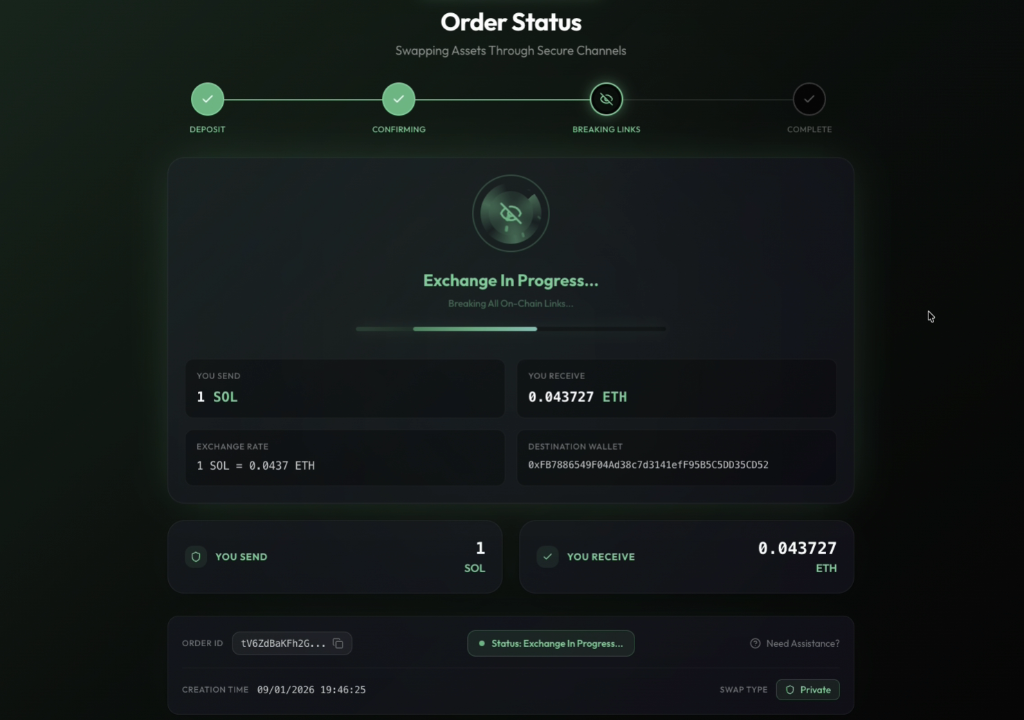
This is where the privacy magic happens:
- Your funds enter Ozyon's private relay network
- The system severs all traceable connections between your source and destination wallets
- A progress bar shows the exchange status
- The message "Breaking All On-Chain Links" confirms the privacy process is active
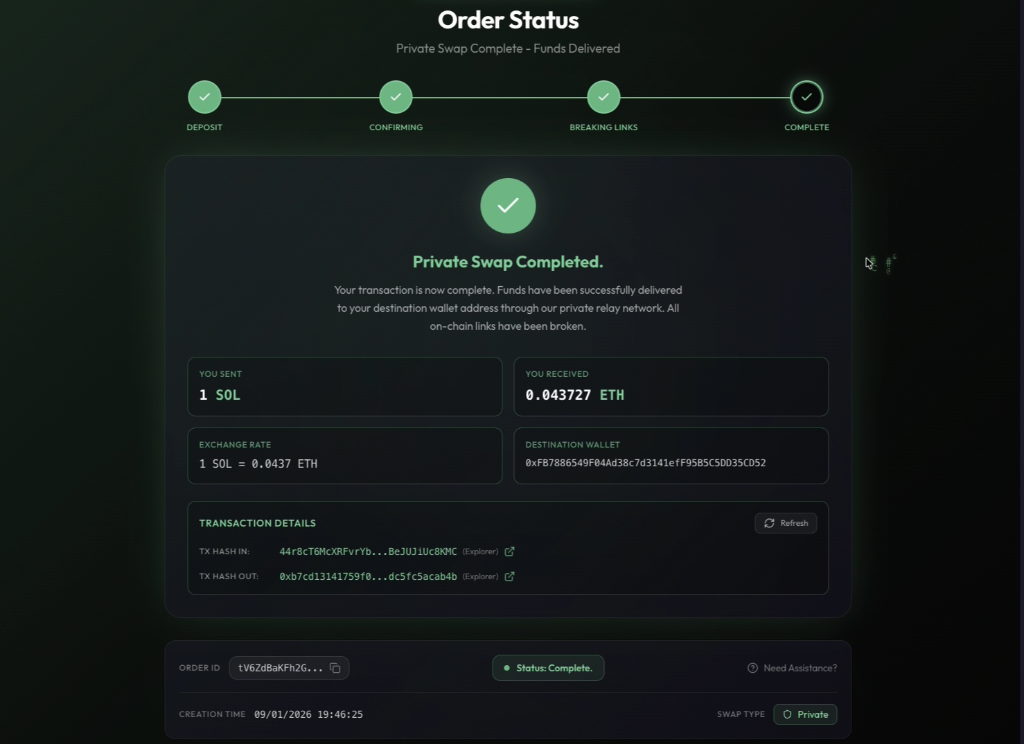
Step 5: Swap Complete
Your Private Swap is now complete:
- Funds have been delivered to your destination wallet
- All on-chain links between your wallets have been broken
- Transaction details show both the incoming (TX HASH IN) and outgoing (TX HASH OUT) transactions
- Click the explorer links to verify your transactions on-chain
- The status displays "Private Swap Completed"
Technical Overview
Your Wallet (A) → [Ozyon Private Relay] → Destination Wallet (B)
       ↓                    ↓                      ↓
   Visible TX          Mixing Layer          Visible TX
   (to relay)         (breaks link)         (from relay)
The relay acts as an intermediary that:
- Aggregates multiple transactions
- Introduces timing variation
- Uses different funding sources for outputs
- Ensures no direct transaction trail
When to Use Private Swaps
Use Private when:
- Moving funds between your own wallets
- Swapping to a fresh wallet address
- Trading tokens you don't want publicly associated with you
- Converting from identifiable sources (CEX withdrawals)
Consider alternatives when:
- Speed is your top priority
- You need the absolute lowest fees
- Privacy is not a concern for this transaction
Privacy Guarantees
| What's Hidden | What's Visible |
|---|---|
| Connection between wallets | Transaction to Ozyon relay |
| Your trading patterns | Amount range (approximate) |
| Destination identity | Timing of transactions |
Fees
Private Swaps include a small premium for the privacy service:
- Base fee: Same as standard swaps
- Privacy premium: 1.5%
Best Practices
- Use fresh addresses - Send to a wallet not previously linked to your identity
- Variable amounts - Avoid round numbers that could be matched
- Wait between swaps - Don't immediately swap the same amount back
- Don't announce - Keep your new wallet address private