No-Wallet Mode
Swap without connecting a wallet. Perfect for cold storage, hardware wallets, or maximum security.
How It Works
- Select tokens - Choose what you're swapping
- Enter destination - Provide the receiving wallet address
- Get deposit address - Ozyon generates a unique address
- Send funds - Transfer from any wallet to the deposit address
- Receive swap - Funds arrive at your destination
No wallet connection. No signatures. No browser extension required.
Step-by-Step Guide
Follow this walkthrough to complete a swap without connecting your wallet.
Step 1: Configure Your Swap
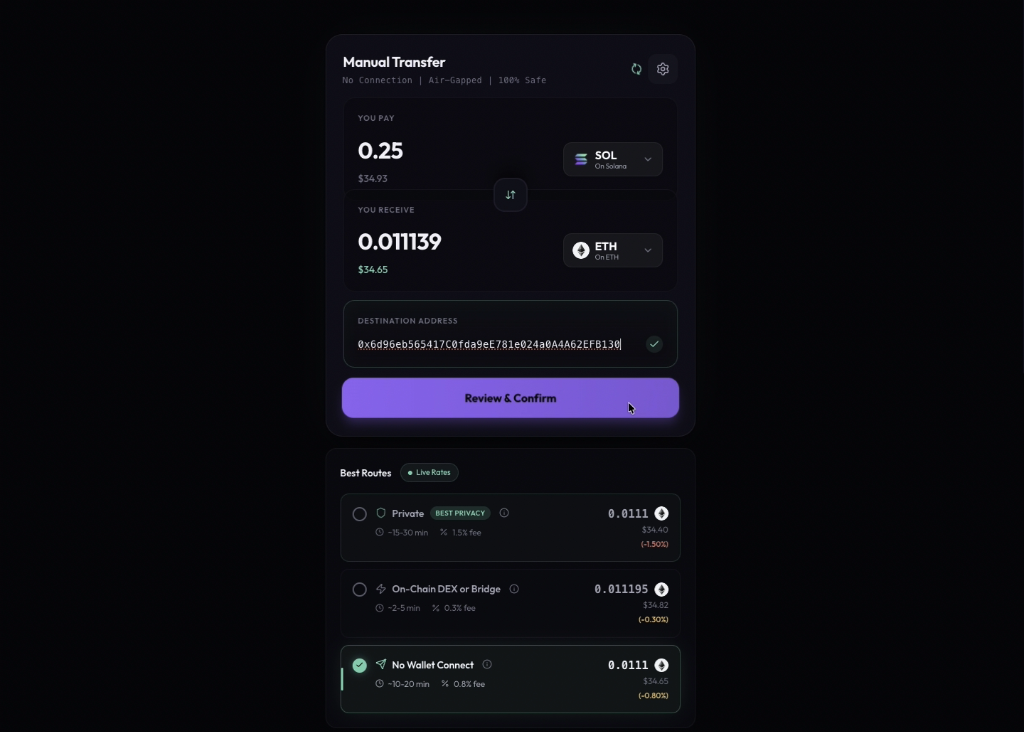
The interface shows "Manual Transfer" mode - completely air-gapped and 100% safe:
- Select the token you want to send and enter the amount
- Choose your destination token and network
- Enter the destination wallet address where you want to receive funds
- Under Best Routes, select No Wallet Connect option
- Click Review & Confirm to create your order
No browser wallet connection is required at any point.
Step 2: Deposit Your Funds
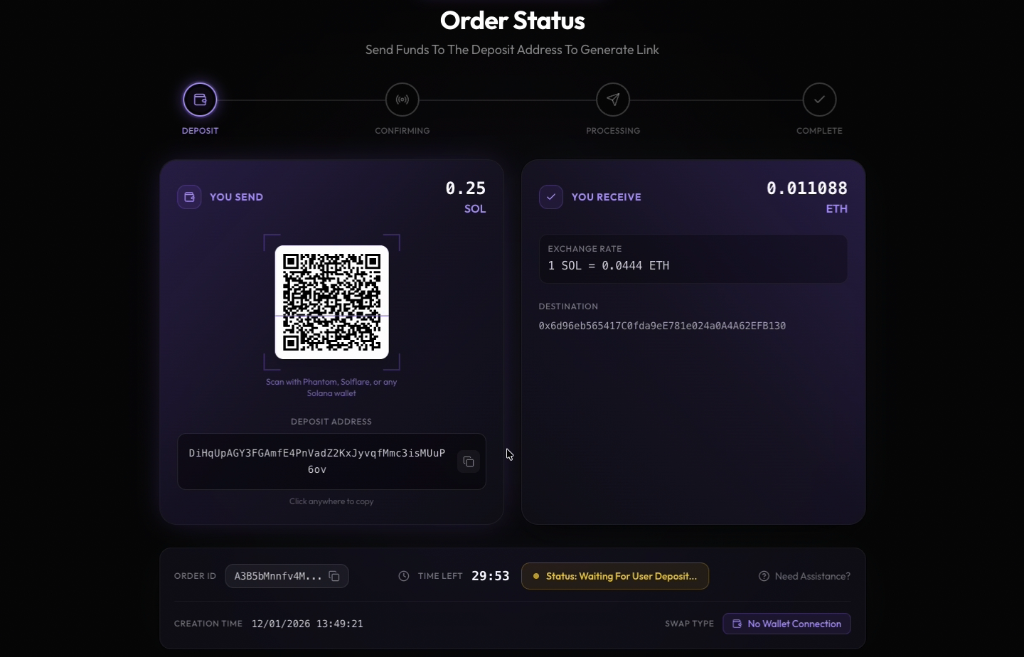
After confirming, you'll receive a unique deposit address:
- A QR code is displayed for easy mobile or hardware wallet scanning
- The deposit address is shown below - click to copy
- A countdown timer shows how long you have to complete the deposit (typically 30 minutes)
- Send the exact amount from any wallet - including cold storage, hardware wallets, or CEX withdrawals
- The SWAP TYPE badge confirms "No Wallet Connection" mode
The status shows "Waiting For User Deposit" until your transaction is detected.
Step 3: Blockchain Confirmation
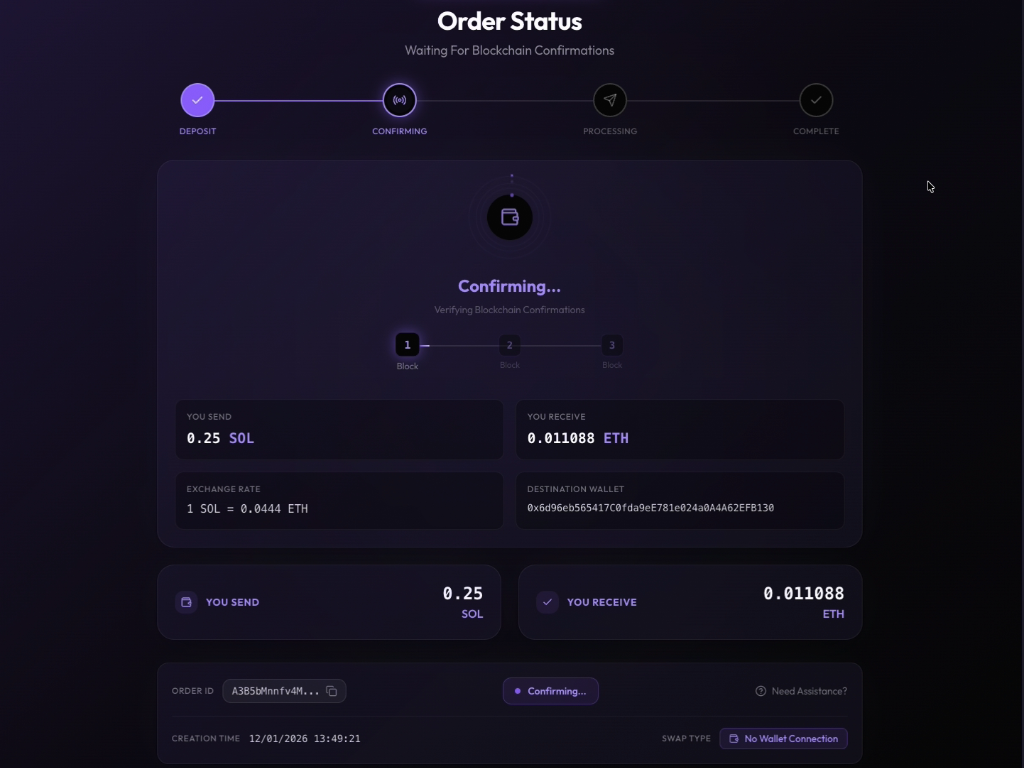
Once your deposit is detected, Ozyon waits for blockchain confirmations:
- The progress indicator shows confirmation blocks being verified (1, 2, 3)
- Most chains require 1-3 confirmations for security
- This process typically takes 1-5 minutes depending on the source chain
No action is required from you during this step.
Step 4: Processing Wallet-less Transaction
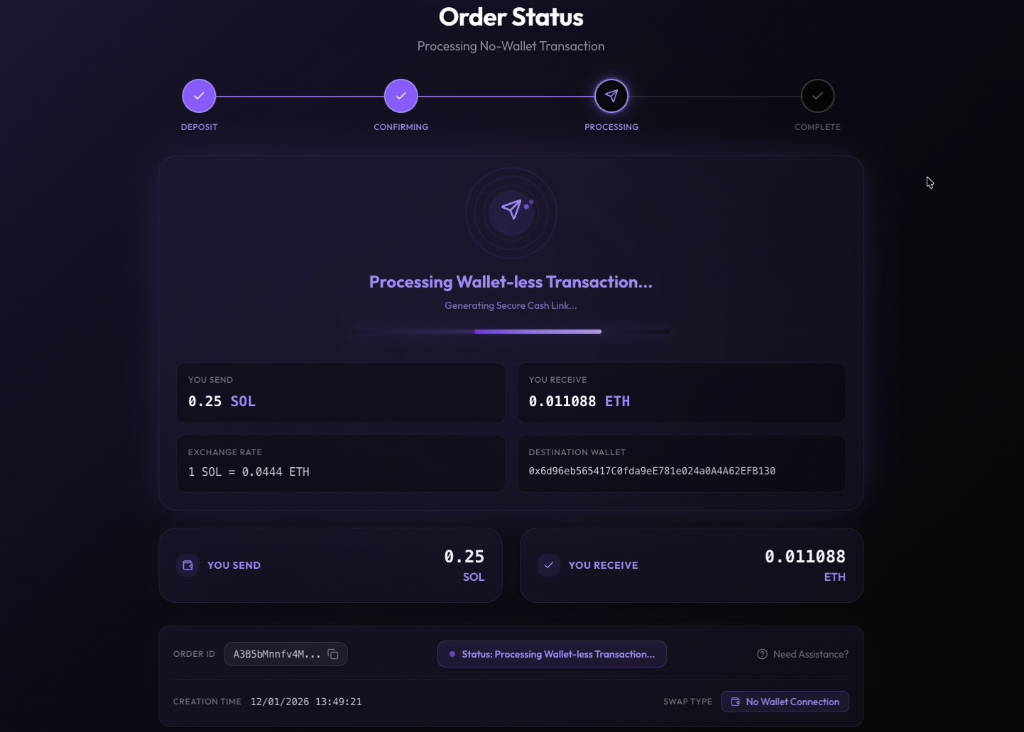
Your transaction is now being processed through Ozyon's secure infrastructure:
- The system generates a secure cash link for your transaction
- No wallet signatures are required - the swap executes automatically
- A progress bar shows the processing status
- The message "Processing Wallet-less Transaction" confirms air-gapped execution
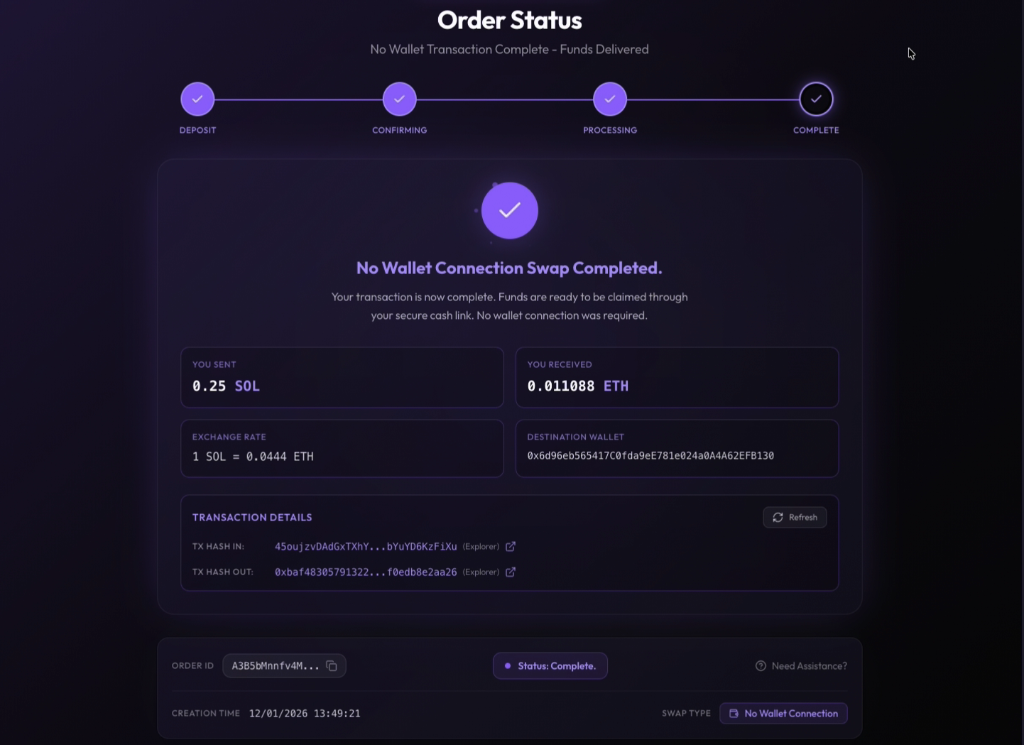
Step 5: Swap Complete
Your No-Wallet swap is now complete:
- Funds have been delivered to your destination wallet
- No wallet connection was required at any point
- Transaction details show both the incoming (TX HASH IN) and outgoing (TX HASH OUT) transactions
- Click the explorer links to verify your transactions on-chain
- The status displays "No Wallet Connection Swap Completed"
Use Cases
Cold Storage
Send from your Ledger or Trezor directly to the deposit address. No need to connect hardware to the browser.
Multi-Sig Wallets
Gnosis Safe or Squads users can initiate swaps without complex dApp connections.
Exchange Withdrawals
Withdraw from CEX directly to Ozyon's deposit address. Tokens arrive at your private wallet.
Maximum Privacy
No wallet signature means no on-chain proof you initiated the swap.
Time Limits
Deposit addresses have expiration windows:
- Standard: 30 minutes
- Extended: Available for larger swaps
Start a new swap if your address expires.
Fees
Same as connected wallet swaps:
- Network gas for deposit transaction (paid by you)
- Route fee: 0.8%
- No additional No-Wallet fees